User interface overview
 Swedish

Contents
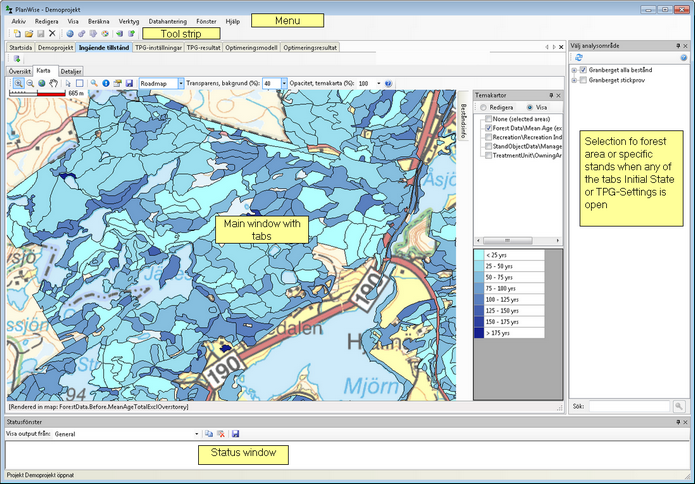
The user interface contains the following main parts:
| 1. | A menu |
| 2. | A toolstrip menu with buttons |
| 3. | A main window containing a number of tabs and sub-tabs whose contents depend on the application that is being used |
| 4. | A window for choosing one’s desired area or stand |
| 5. | A status window |
This chapter provides a general overview of Heureka’s user interface, focusing on points 3-5. The graphical user interface of PlanWise is shown below, with the ‘Map’ sub-tab (a sub-tab of the ‘initial state’ tab) open.