Version 2.23: Difference between revisions
mNo edit summary |
No edit summary |
||
| Line 18: | Line 18: | ||
Before using the AMPL modeling language in Heureka AMPL must be installed. The path to the exectutable is the entered into the settings in Heureka (figure 1). After setup a new AMPL model can be created by using the Model Wizard in Heureka (figure 2) or changing an existing model to use AMPL instead of ZIMPL (figure 3). If the modeling language is changed user-supplied definitions need to be changed if they fail validation (figure 4). | Before using the AMPL modeling language in Heureka AMPL must be installed. The path to the exectutable is the entered into the settings in Heureka (figure 1). After setup a new AMPL model can be created by using the Model Wizard in Heureka (figure 2) or changing an existing model to use AMPL instead of ZIMPL (figure 3). If the modeling language is changed user-supplied definitions need to be changed if they fail validation (figure 4). | ||
<gallery widths= | <gallery widths=600px, heights=250px> | ||
File:PathToAmplExe.png || Figure 1. Before using AMPL the path to the executable need to be set. | File:PathToAmplExe.png || Figure 1. Before using AMPL the path to the executable need to be set. | ||
File:ModelWizardAmplSupport.png || Figure 2. Creating a new model using AMPL with the Wizard. | File:ModelWizardAmplSupport.png || Figure 2. Creating a new model using AMPL with the Wizard. | ||
Revision as of 13:02, 21 August 2024
Version 2.22.1 RC
 |
Languages: |
<startFeed />
This is a draft of release notes for a planned version of Heureka.
Summary
This release includes the addition of AMPL as a supported modeling language, further improvements to the optimization module in PlanWise, changes to sapling height calculations, and bug fixes - especially to the tactical TPG in PlanWise.
New Features
AMPL
AMPL has been added as a supported modeling language in Planwise. AMPL has been added primarily because of the long building times when using ZIMPL with some large optimization problems. In many user-cases it will be easier to switch modeling language rather than trying to optimize the formulation of the optimization problem itself. AMPL requires a user license. For non-commercial use and prototyping there is a AMPL Community Edition which comes with restrictions when it comes to using the commercial solvers.
Before using the AMPL modeling language in Heureka AMPL must be installed. The path to the exectutable is the entered into the settings in Heureka (figure 1). After setup a new AMPL model can be created by using the Model Wizard in Heureka (figure 2) or changing an existing model to use AMPL instead of ZIMPL (figure 3). If the modeling language is changed user-supplied definitions need to be changed if they fail validation (figure 4).
-
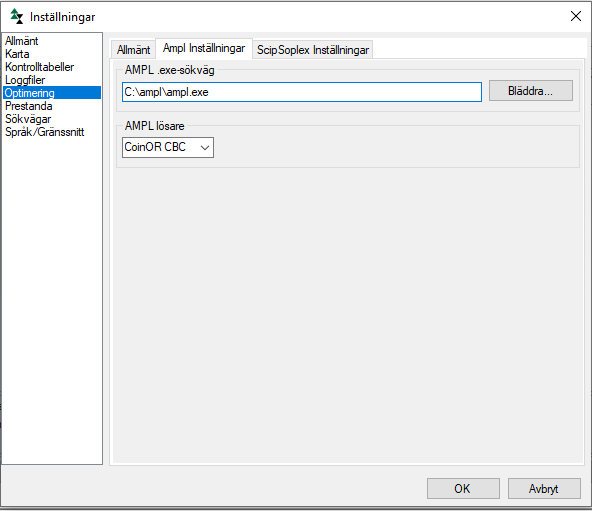 Figure 1. Before using AMPL the path to the executable need to be set.
-
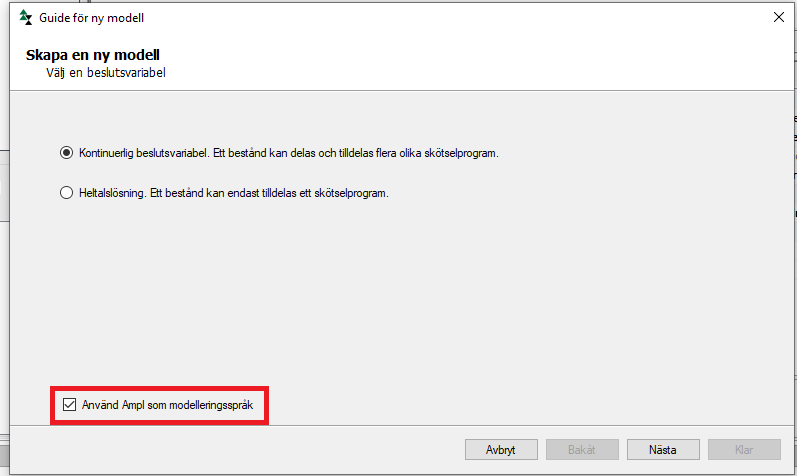 Figure 2. Creating a new model using AMPL with the Wizard.
-
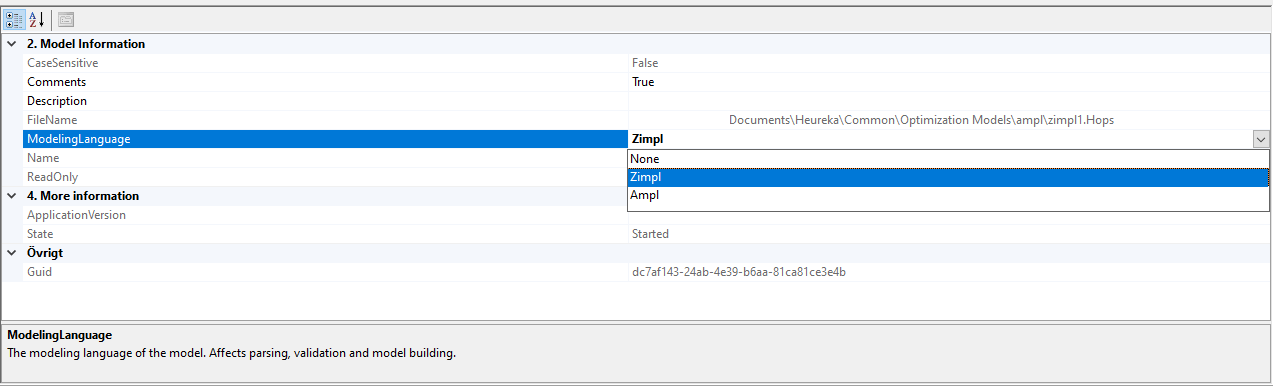 Figure 3. Changing the modeling language for selected model.
-
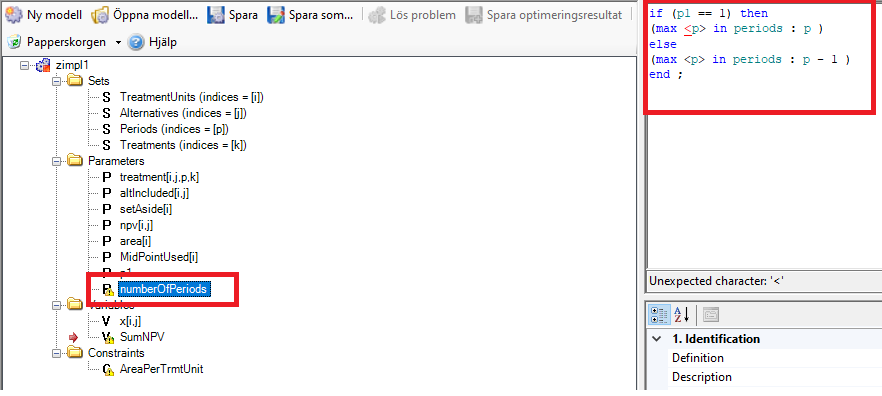 Figure 4. Model items which contain a user-supplied definition need to be changed by user.


- Calculations of sapling growth now uses SIH instead of SIS. If SIH is not supplied Alex Mensah's conversion functions will be applied. In most cases this is expected to lead to increased growth for saplings.
Bug Fixes
Details from bugtracker
<mantis> status = resolved, closed resolution = fixed color = true fixed_in_version = 2.22.1 orderby = severity desc, fixed_in_version desc show = id,category,severity,summary,fixed_in_version,resolution </mantis>